A snapshot a day
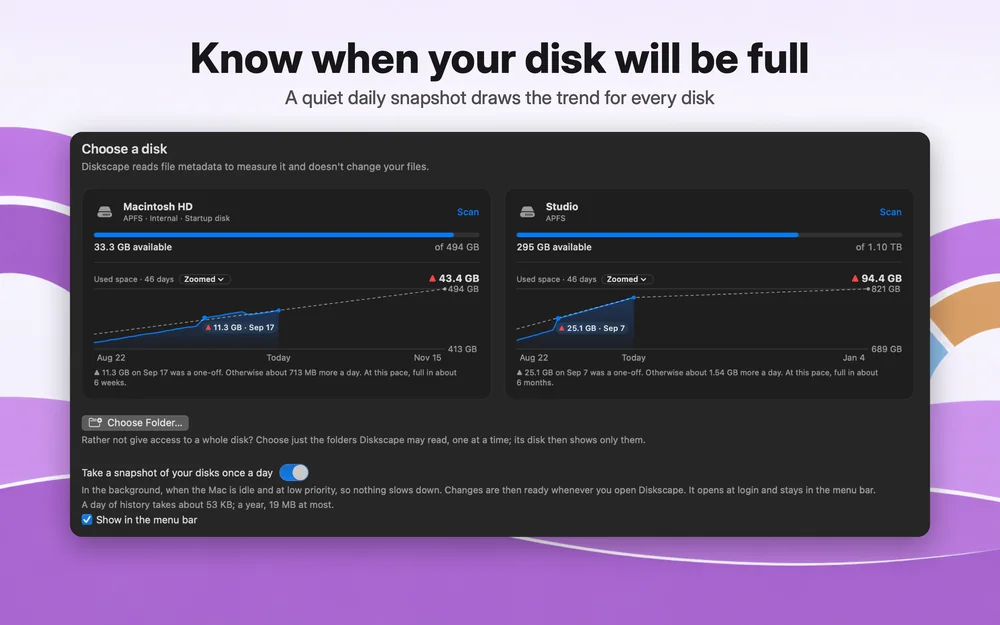
In the background, when the Mac is idle, so changes are ready whenever you look.


Disk space, mapped
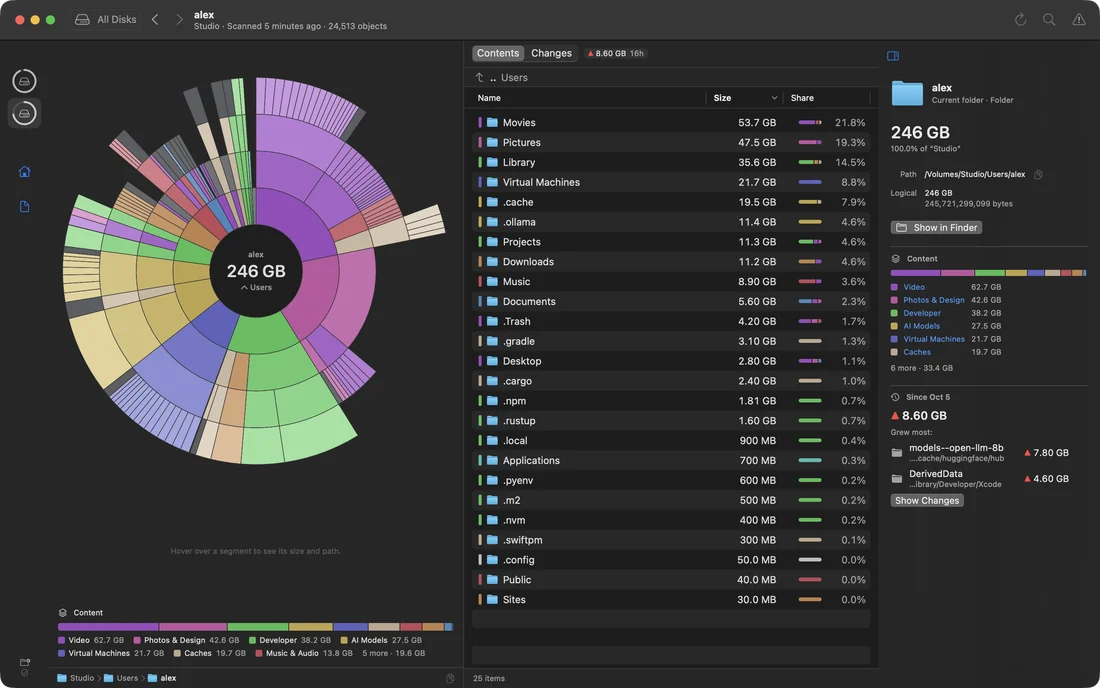
Diskscape draws your disk as rings of folders, shows what grew since yesterday, and tells you when it will be full. It only reads, and never deletes a thing.
macOS 14 or later · Apple silicon and Intel
The map
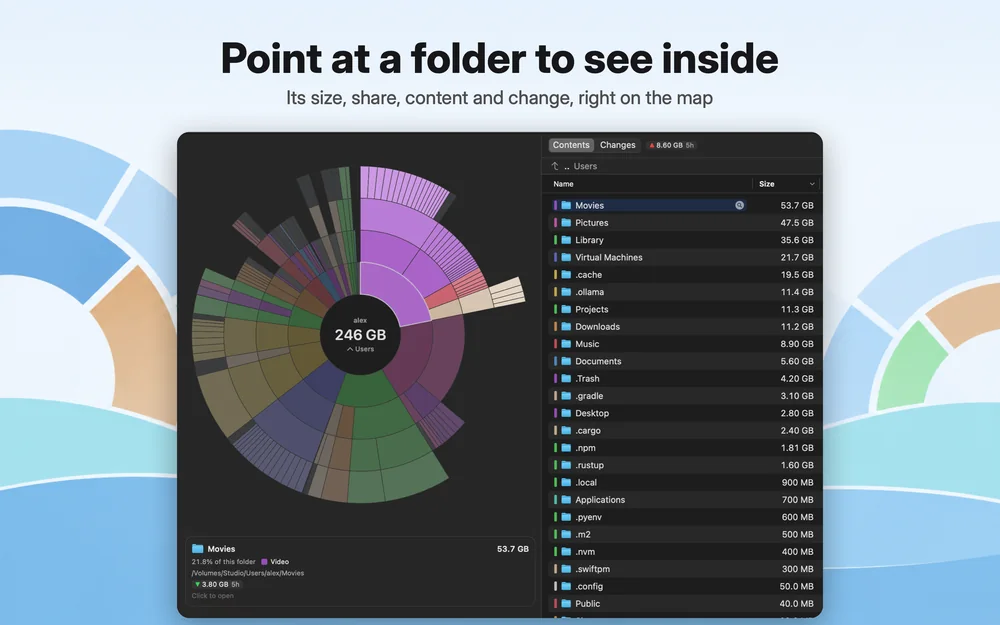
Each ring is a level deeper, each segment a folder at its share of the space, colored by what it holds. Point at one for its size, share, kind of content, path and change.
Changes
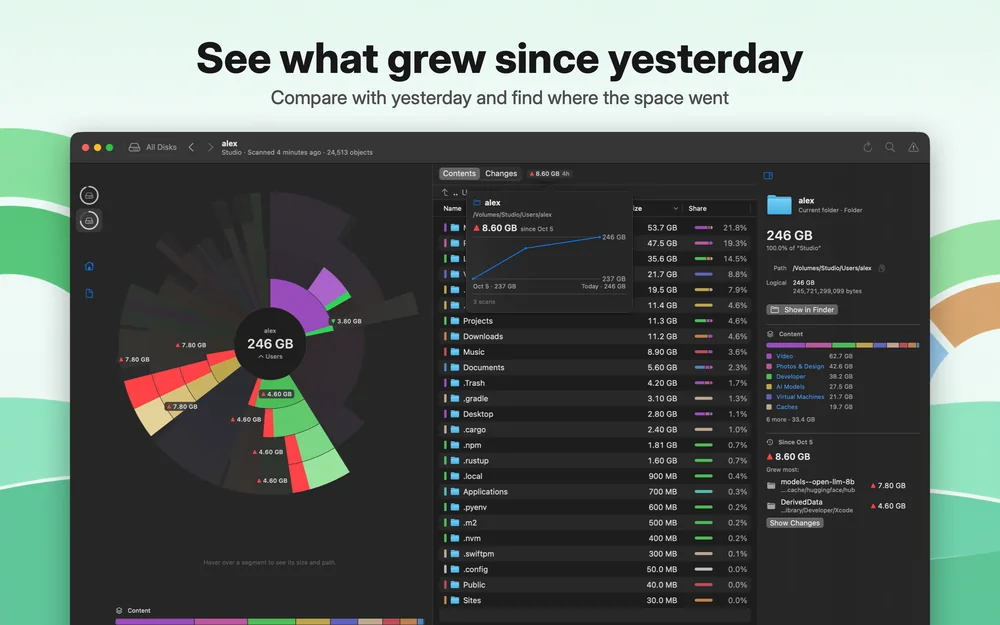
Every scan keeps a small snapshot of your folders. Diskscape shows what grew or shrank, by how much, and follows the growth down to the folder it came from.
Forecast
A quiet daily snapshot charts how full each disk gets. Diskscape tells a one-off jump from steady growth, and says when the disk fills at this pace.
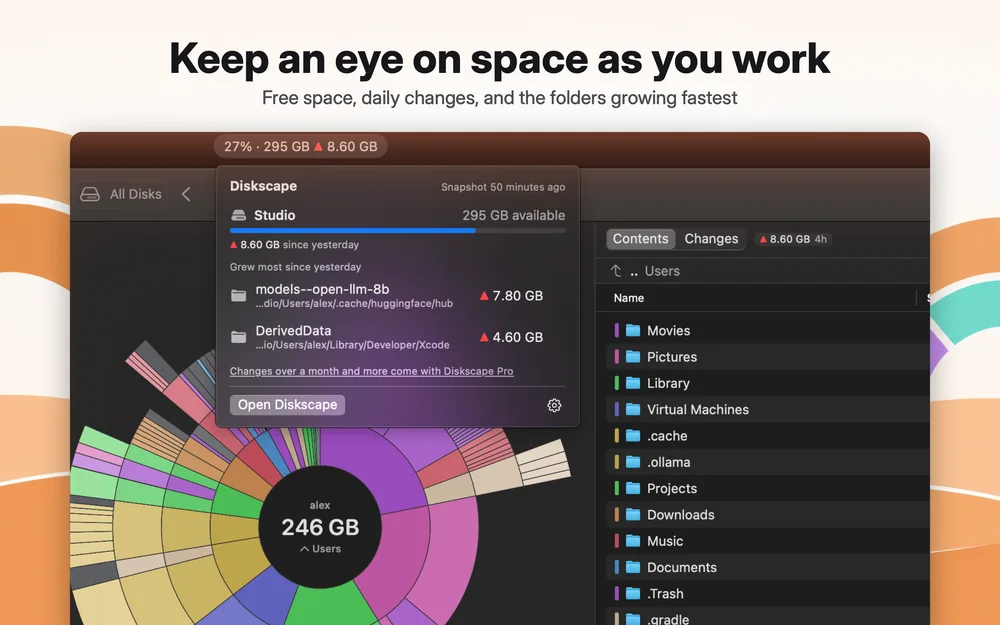
Menu bar
Free space and the day's change sit next to the clock. Open the panel to see which folders grew most.
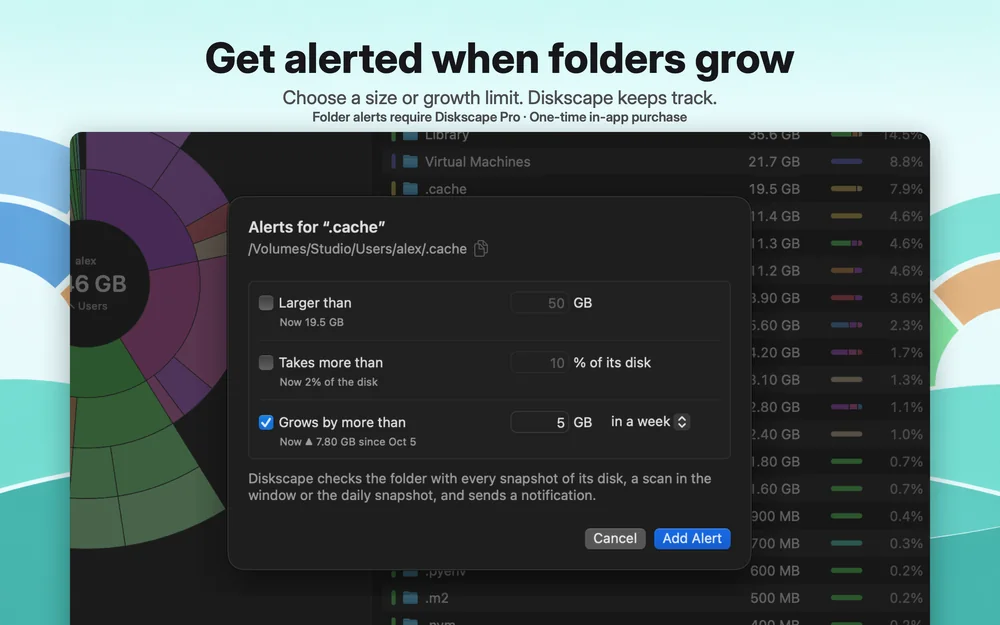
Alerts Folders · Pro
Set a limit, and macOS lets you know once it's passed. A disk more than 90% full is a free alert; for folders, Pro watches size, share of the disk and growth over a period.
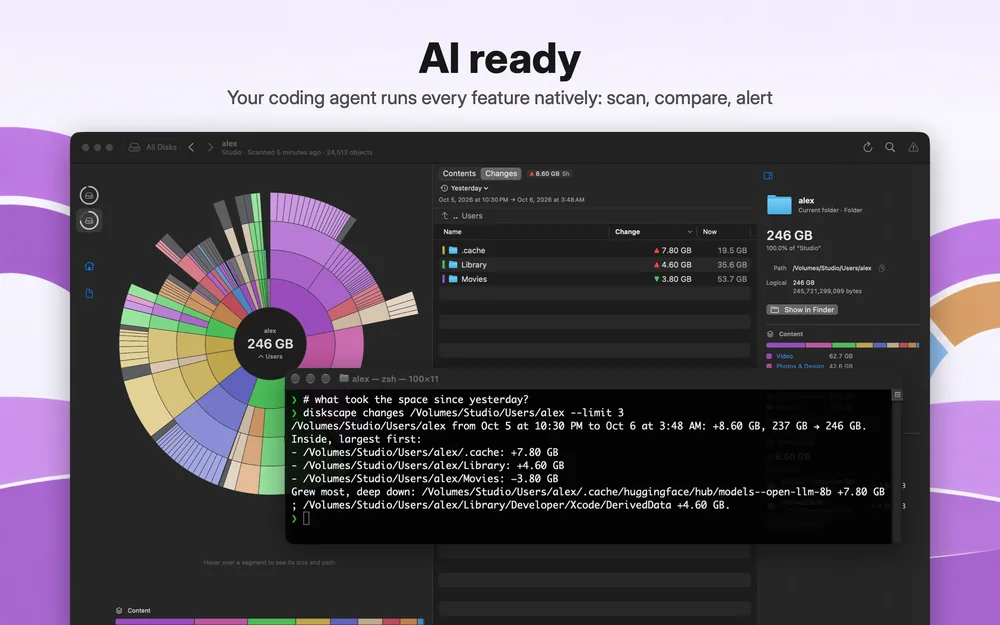
AI ready
Diskscape has a command line made for coding agents such as Claude Code, Codex and Gemini CLI. They scan, compare with history, find what takes space, point at it on your map and set alerts — with the numbers you see in the window.
du can't seeAnd more
In the background, when the Mac is idle, so changes are ready whenever you look.
Keep the folders you watch in the sidebar, and find any folder by name as you type.
What couldn't be read is marked, not hidden, and Diskscape explains why its total differs from Finder's.
Control-click a folder in Finder and choose Services → Preview in Diskscape for its map in a compact window.
macOS asks you to confirm a disk or folder once; Diskscape remembers it until you tell it to forget.
Paste a folder's sizes into a note, a ticket or a chat.
Pricing
Free keeps your whole history from the first scan, so Pro opens all of it at once.
$0on the Mac App Store
$9.99once, in the app
One purchase, shared with your family through Family Sharing.
Privacy
Diskscape doesn't send anything anywhere. Privacy policy
No account, no analytics, no advertising.
Scans, history and alerts live in the app's own container.
It never moves, renames or deletes a file.
Free · Pro $9.99 once · macOS 14 or later